Has anyone else had the same experience as me, spending hours every day searching for the latest AI news or related content across various platforms? Sometimes it takes me an hour or two, sometimes three or four, just hunting down and gathering material from different sites. But there are just too many platforms to cover them all in a short time. That’s where Hermes Agent really shines!
I’ve optimized my own Hermes Agent into a 24/7 news butler—every four to eight hours, it delivers a round of the latest and hottest AI updates from multiple platforms. I never have to waste time and energy combing through different websites to search and filter for key news myself. With my custom rules, I only get what’s truly useful and interesting to me.
In this article, I’ll walk you through building your own AI news workflow with Hermes Agent, helping you filter down to the most relevant materials and make your work both lighter and more enjoyable.
Integrating Search Platforms
I recommend two platforms here: X’s native AI search, Grok, and a third-party search tool, Tavily. Each has its strengths—Tavily aggregates third-party news, while Grok is tailored for searching X (formerly Twitter).
Integrating Tavily
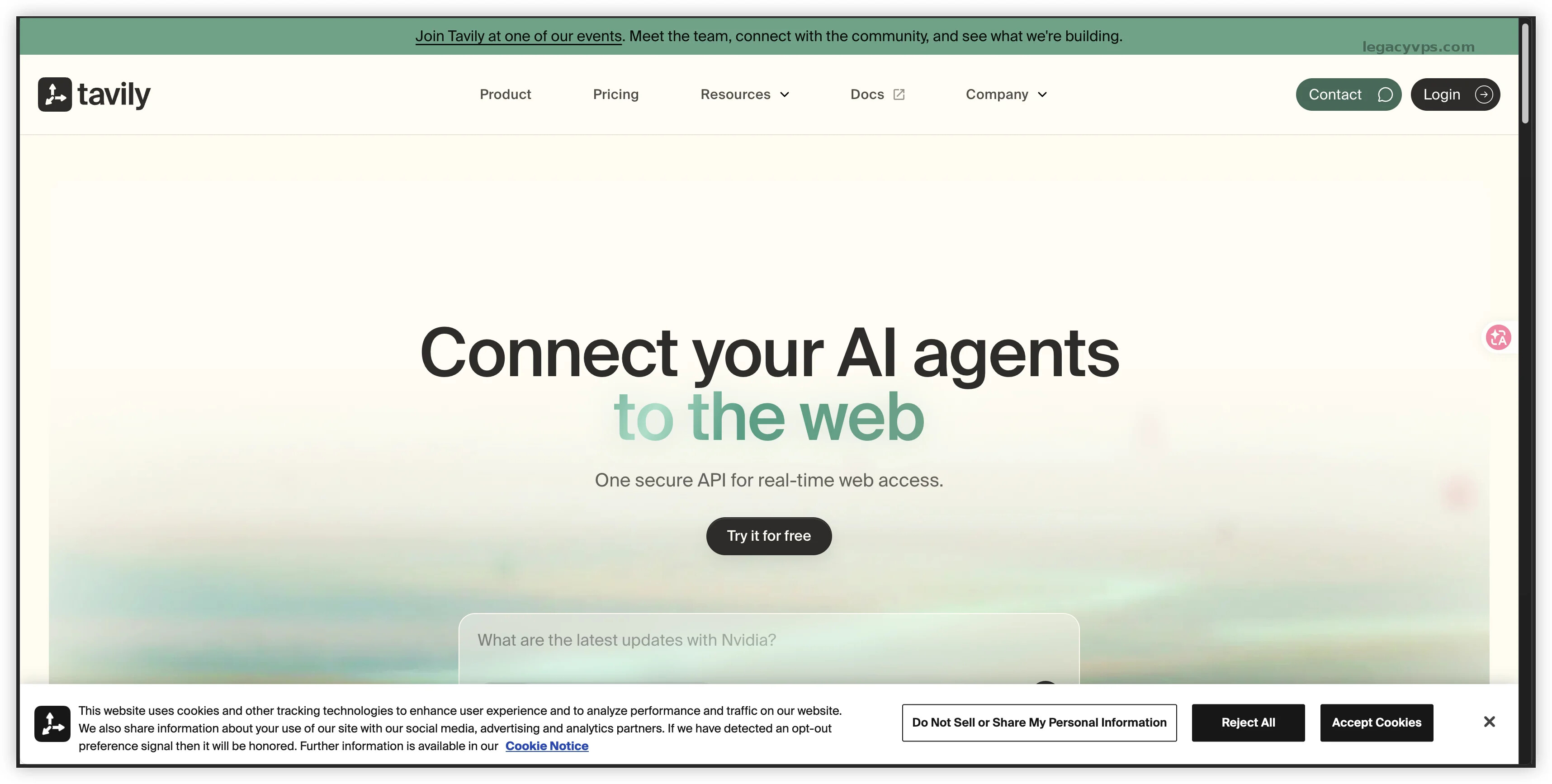
- Visit the official site and log in for a free account; you get 1,000 API calls per month.
Website: https://www.tavily.com/
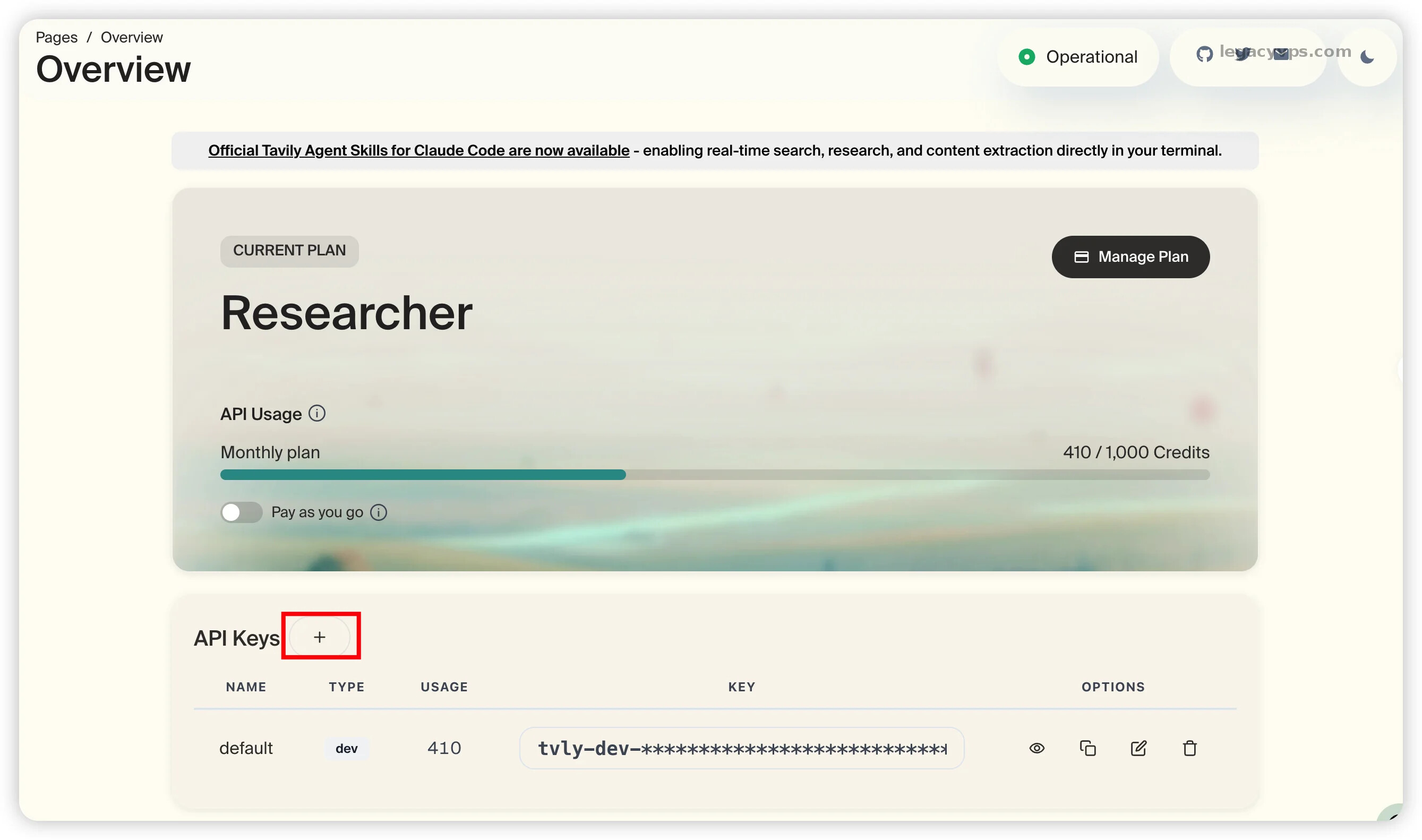
- Generate your API Key and make sure to keep it safe.
- Configure Tavily’s API Key in your Hermes Agent. This is simple: just send your key to Hermes Agent and tell it to set up Tavily search for you.
Prompt: Here’s my Tavily key, please set up the Tavily search engine: tvly-dev-*
After configuration, you can run a test—ask your AI to perform a search or tell you which API it’s using for searches.
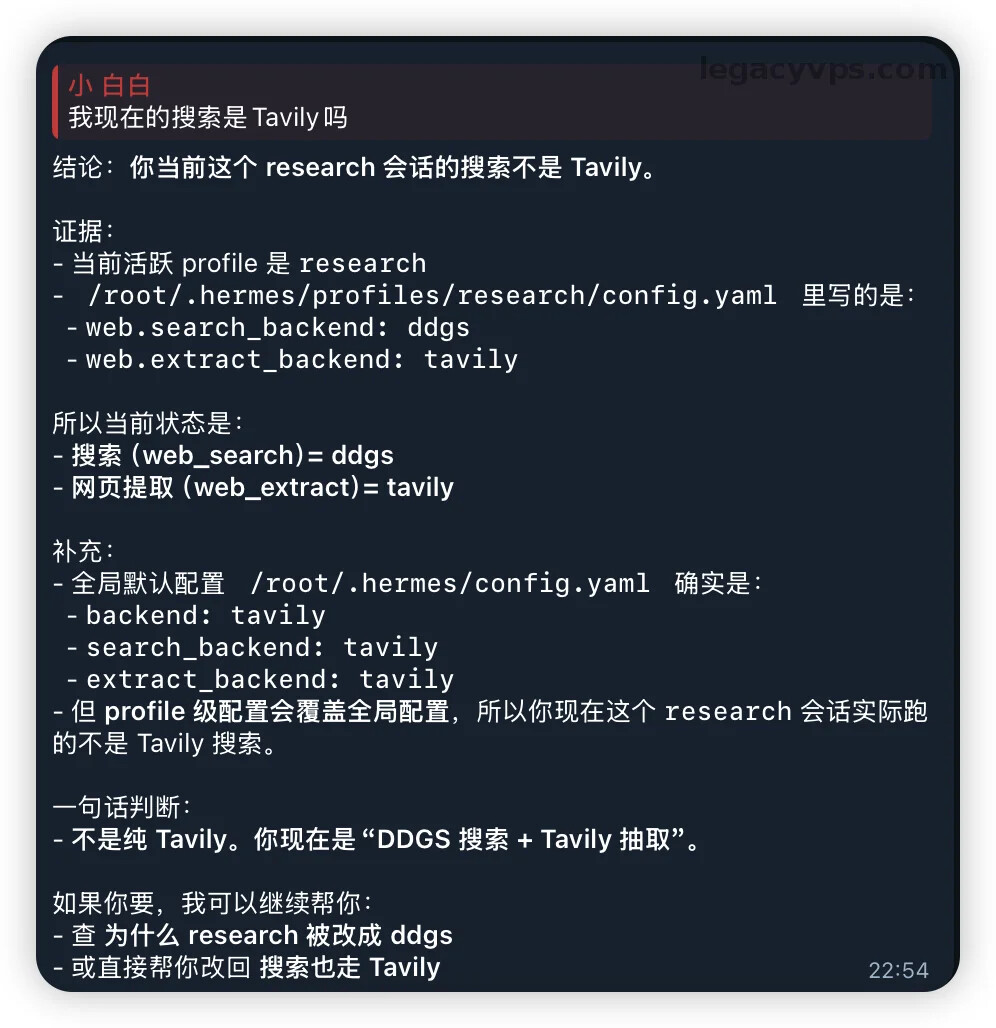
Personally, I use Tavily as a fallback. For regular searches, I use ddgs, since Tavily’s free tier is capped at 1,000 monthly calls. If you need more, get several accounts, or as I do, create a backup scheme that rotates your API keys automatically when your quota runs out.
Integrating Grok
If you run an X account, like me, you’ll want to pull content from X. While there are official APIs, they’re quite pricey. That’s where Grok stands out—as X’s built-in AI, it gets the latest content instantly, so you always have your finger on the pulse.
You’ll need an X account with SuperGrok or Premium or access to their API key. If you don’t, you’ll need a subscription.
-
Open Hermes, select the model add option, and pick xAI.
hermes model
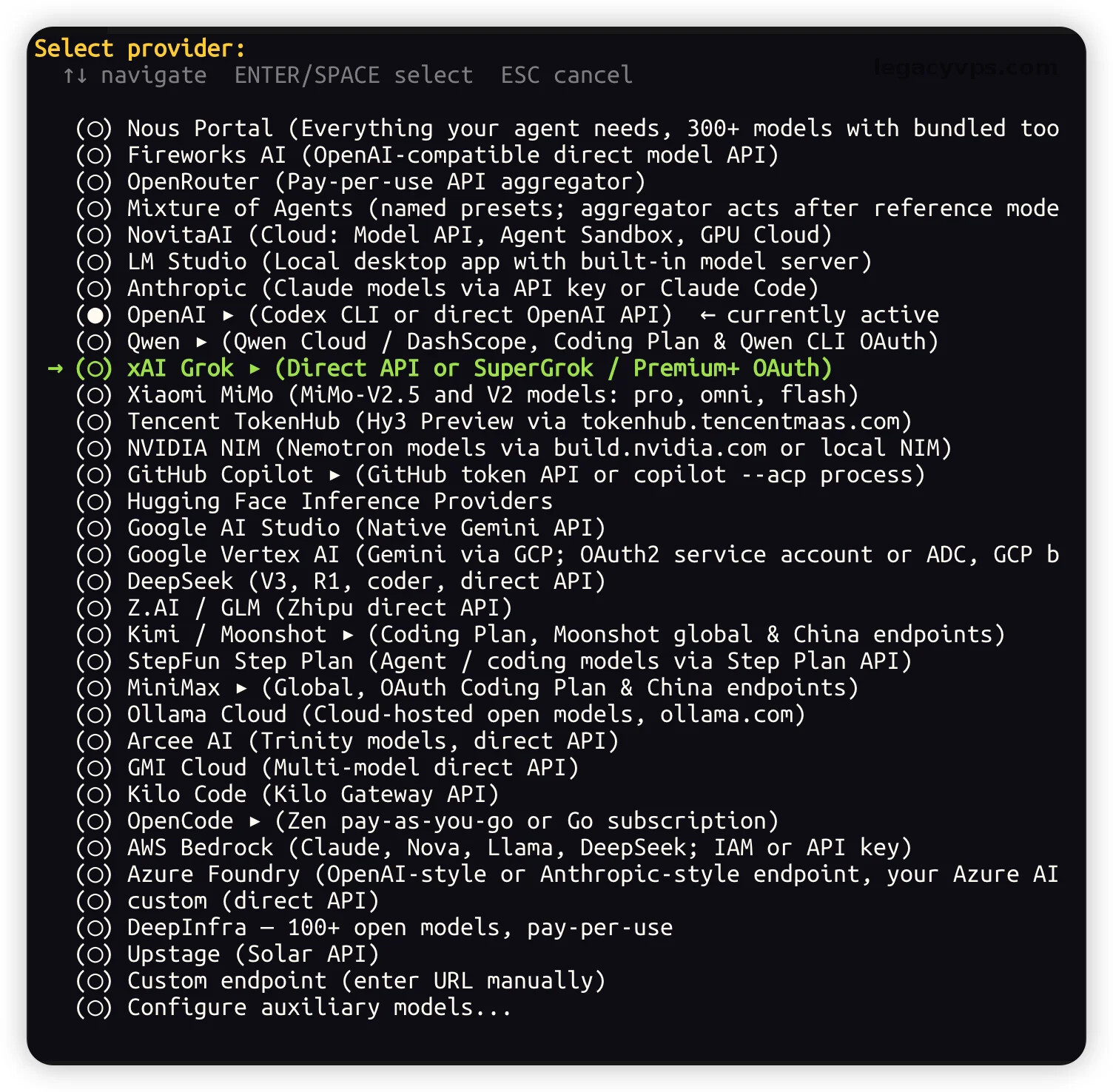
- Set the authentication method. Here I use xAI Grok OAuth (SuperGrok / Premium+).
You’ll get a URL. Open it in a browser logged into your X account to finish authorization.
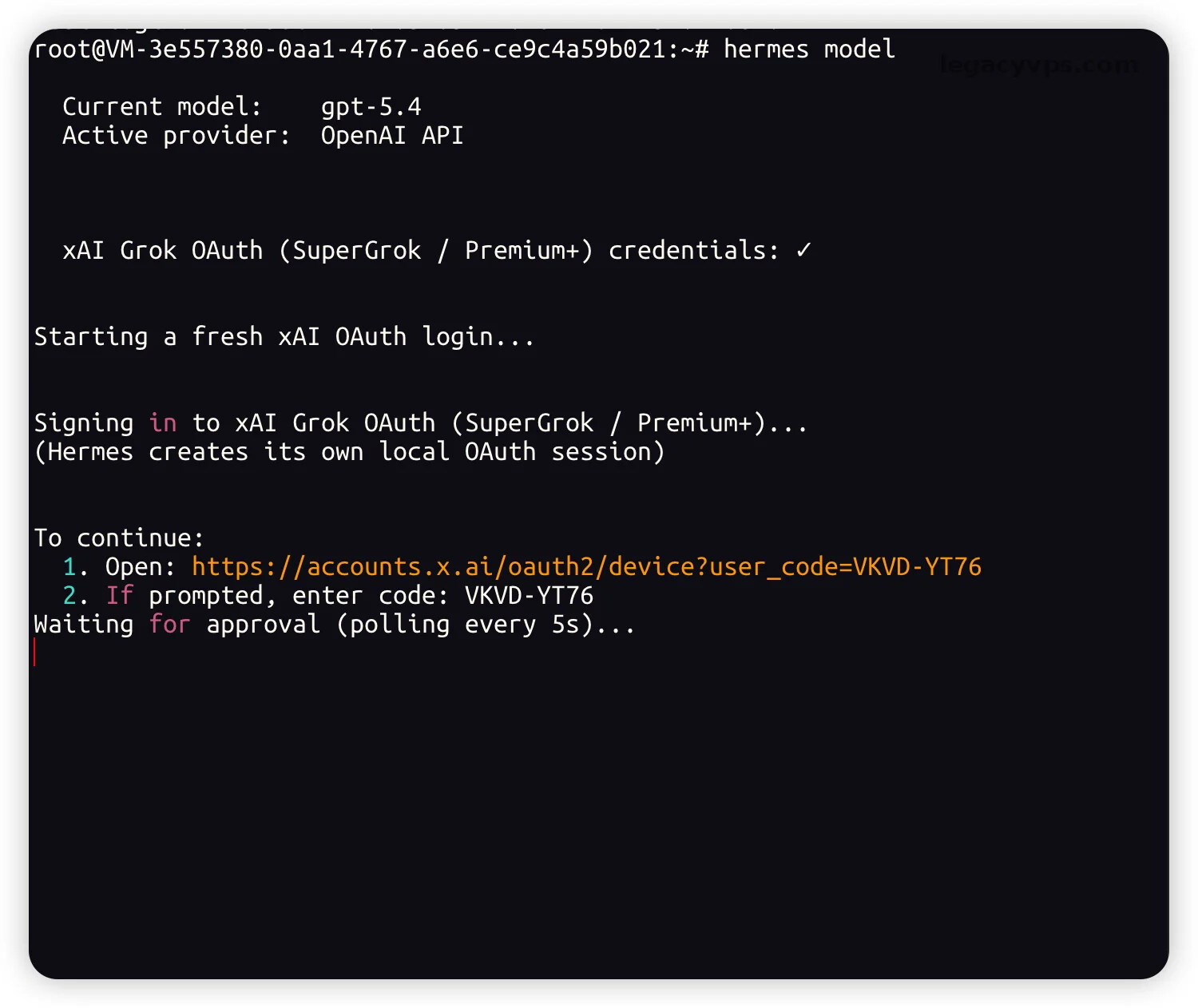
- Once authorized, just paste the code into Hermes where required.
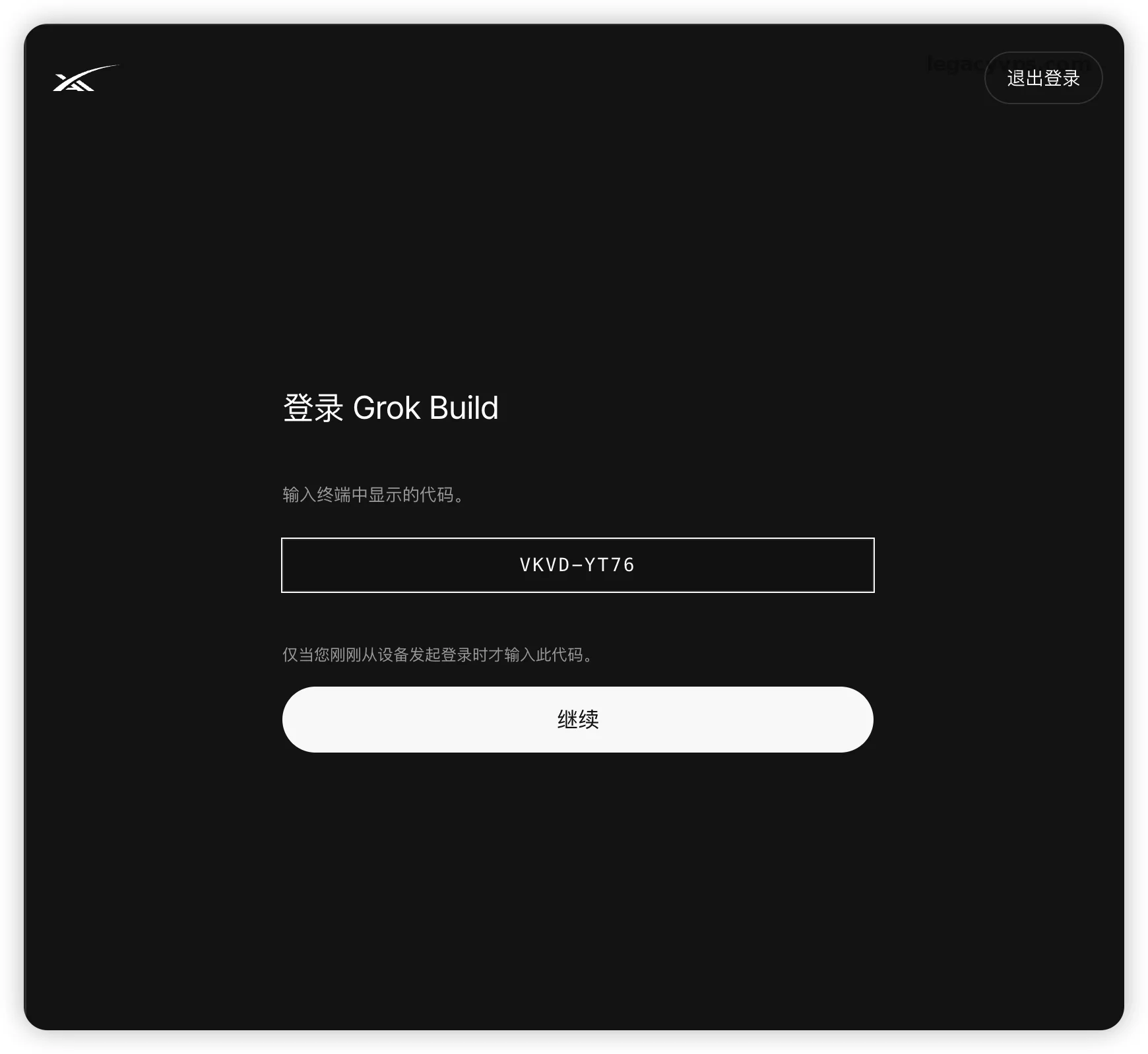
After authorization, you can select which model to use on your server and start retrieving X content via Grok.
Extra Tip
If you use other software with Hermes Agent for remote control, make sure to enable the X_search feature (it’s sometimes off by default).
As an example, here’s how to authorize using Telegram (TG) and adjust settings. Run the command below to access Hermes’ tool settings:
hermes tools
Select Configure  Telegram, and you’ll see a list. Find X (Twitter) Search and enable it.
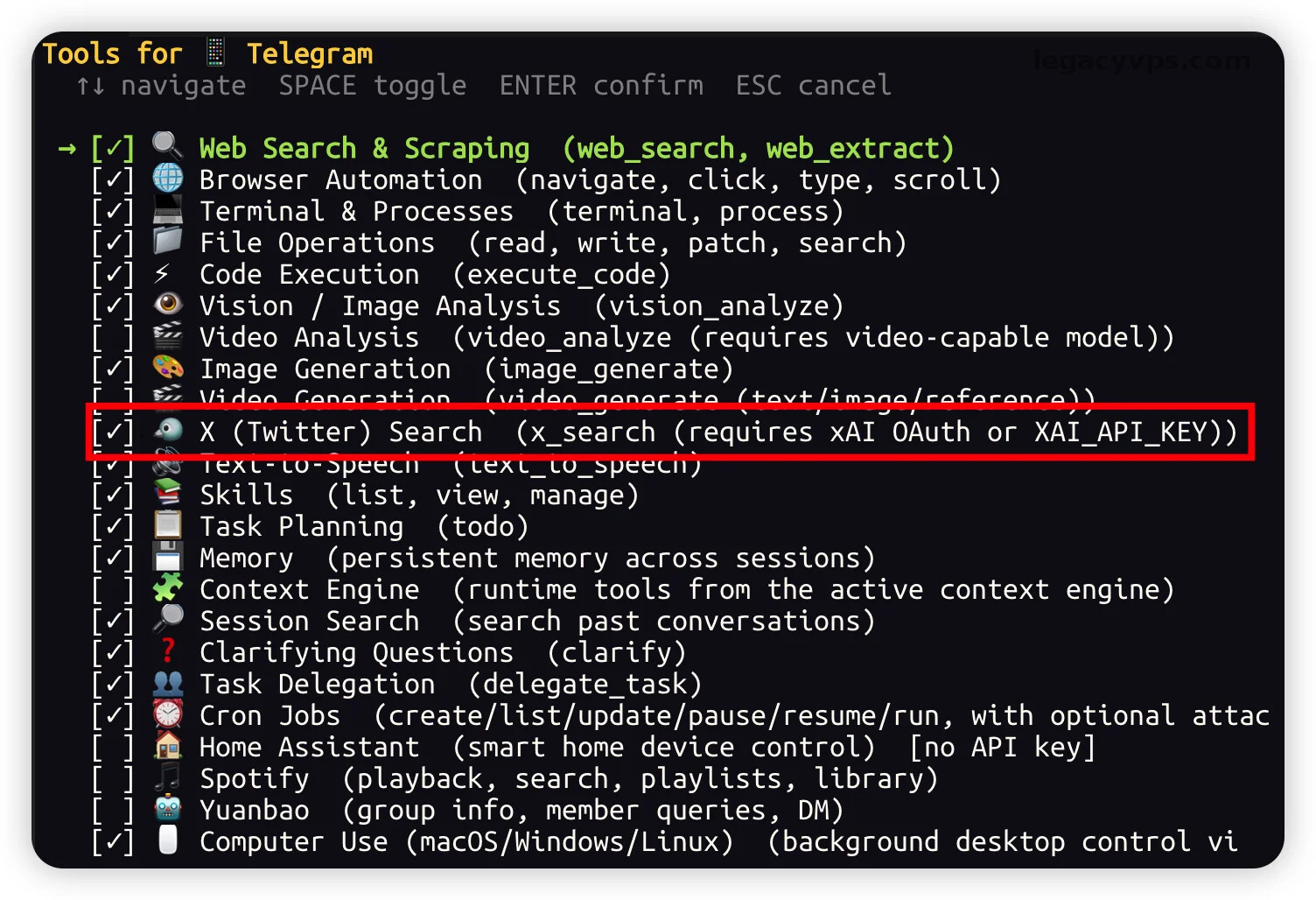
As described, this lets you search X, but relies on xAI authorization. Without the right account, this won’t work.
Building Your Own AI News Radar
Now you’re ready to build your AI news radar! I split mine into two streams: one focused on X, and another integrating third-party content, as a lot of important news comes from public sources.
X Platform Settings
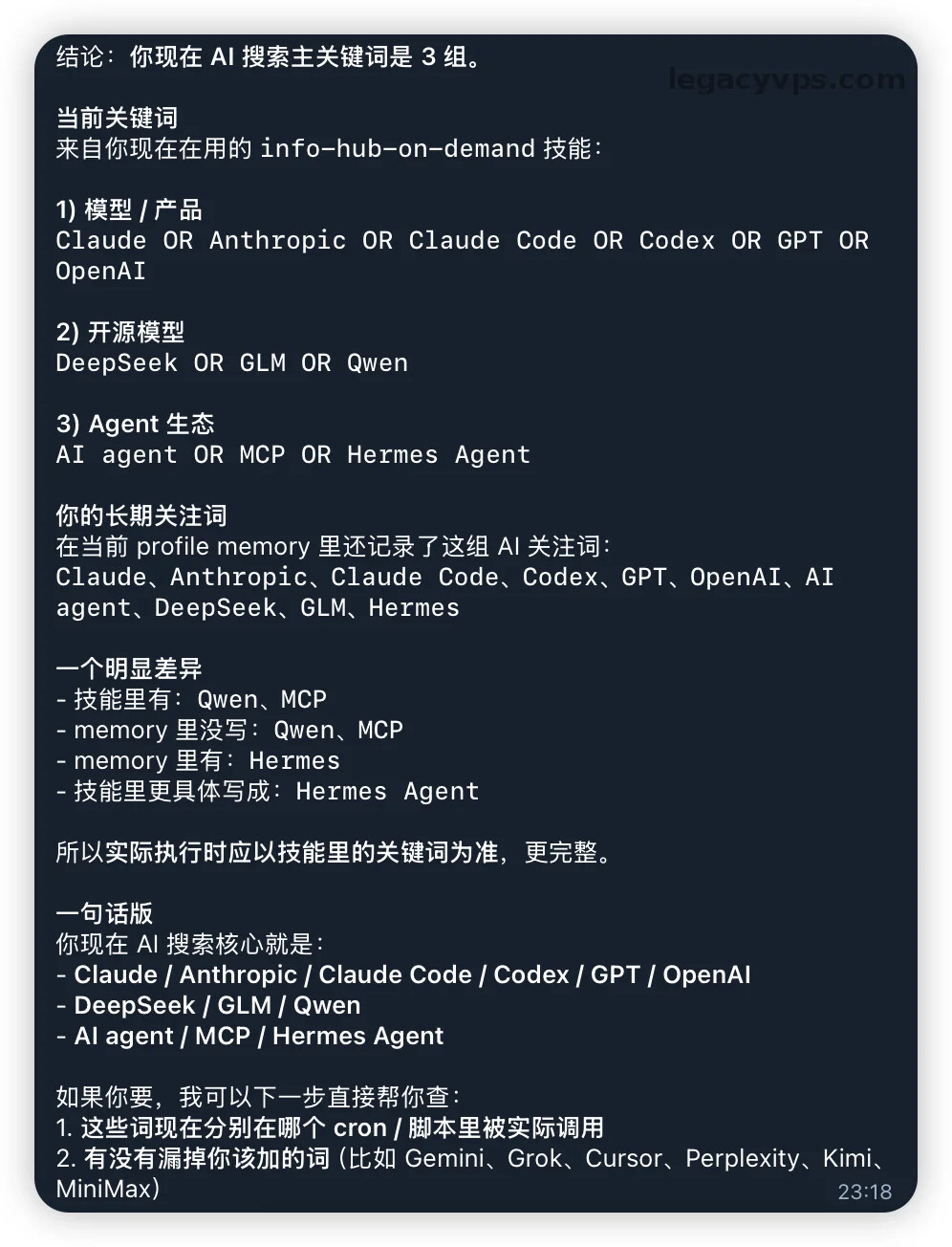
- The first approach is bulk keyword searching across the whole platform. It searches everything for your keywords, whether Chinese or English posts, so you don’t miss important updates.
Here’s some AI keywords I follow—these are personally relevant to me, but you should tailor your own list:
Models / Products
Claude OR Anthropic OR Claude Code OR Codex OR GPT OR OpenAI

Open-source models
DeepSeek OR GLM OR Qwen

Agent ecosystem
AI agent OR MCP OR Hermes Agent

Long-term follow words
Claude, Anthropic, Claude Code, Codex, GPT, OpenAI, AI agent, DeepSeek, GLM, Hermes
- The second method is to track a shortlist of people. I focus on official and well-known accounts, e.g., those of GPT, Anthropic, and OpenAI. This depends on your interests and who matters to you.
Here’s my own shortlist as a reference:
1. @AnthropicAI
2. @OpenAI
3. @deepseek_ai
4. @Alibaba_Qwen
5. @NousResearch
6. @LangChain
7. @karpathy
8. @sama
9. @gdb
10. @hwchase17
11. @cursor_ai
12. @vercel
Remember, it’s not about quantity but quality, because Grok’s quota is limited—and so is your attention! Too many accounts mean noisy, overwhelming feeds.
Another tip: ask your Agent to remember that all X-related searches should use Grok. Without this instruction, it might use other APIs and miss the most relevant content while wasting quota and time.
Third-Party AI News Integration
Here the priority is where to collect news from, focusing searches with those earlier AI keywords. Prefer platforms with public APIs or RSS feeds, as this makes collecting content easy—otherwise you’ll have to resort to unreliable web scraping.
A few AI news platforms I use:
https://huggingface.co/ — Models, datasets, open-source AI ecosystem
https://github.com/ — AI projects, agent frameworks, releases
https://news.ycombinator.com/ — Developer community news, AI discussions
https://www.producthunt.com/ — New AI tools and product launches
https://techcrunch.com/category/artificial-intelligence/ — AI news, company and product trends
https://www.theverge.com/ai-artificial-intelligence — Mainstream AI and big tech updates
https://venturebeat.com/ai/ — Enterprise AI, platforms and applications
https://www.marktechpost.com/ — Papers, new models, research summaries
https://paperswithcode.com/ — Papers, code, benchmarks
https://arxiv.org/list/cs.AI/recent — Latest AI research papers
If you have other favorite platforms, add them to your list—the key is focus, not quantity.
Automating Scheduled Tasks
Once you’ve set all this up, you can schedule everything to push the news you care about to you 24/7.
One of my favorite Hermes Agent features is scheduled tasks. Most of my reminders and automations run through it. If you have repetitive daily tasks, automate them to save tons of time.
No complex configuration is needed—just copy and use this prompt:
Create a scheduled task called "AI News Radar" that runs every 4 hours and pushes the results to my Telegram.

  Gather two parts:
  1. X platform: use Grok X Search for the keywords Claude, OpenAI, DeepSeek, AI agent, MCP.
     Focus on: @AnthropicAI @OpenAI @deepseek_ai @NousResearch.
  2. Third-party: use ddgs search, Tavily as fallback, sources are Hugging Face, GitHub, Hacker News,
     TechCrunch AI, arXiv.

  Rules:
  - Only the last 6 hours; for duplicates, keep the most complete entry.
  - Only push new model releases, version updates, price changes, key open-source projects.
    Skip funding news, rankings, analysis.
  - Up to 8 items per run, each with: title + two sentences about what happened + source link.
  - If nothing notable, reply "No new content this round"—don't post filler.
Tweak the timing and rules as you want, or add extra filters (e.g., block short-term repeats; deduplicate across platforms).
Talk with Hermes Agent for more details or customizations—this is the basic template, but feel free to adapt it to your needs.
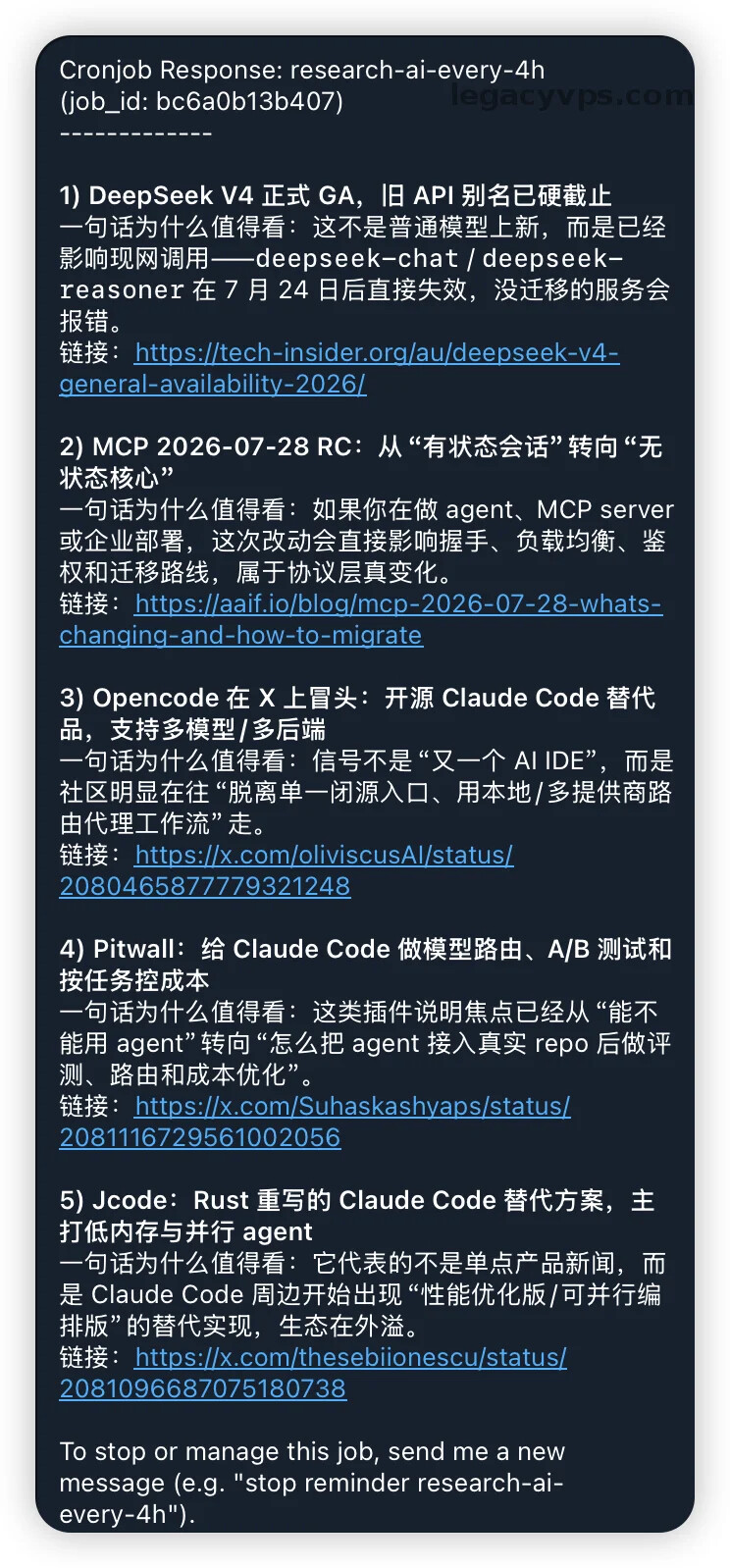
I even optimized my template output for the format that works best for me.
Conclusion
I tried to cover everything in detail. If you follow these steps, you too can have a 24-hour AI news radar. I used to spend 2–3 hours a day searching, now I just spend 15 minutes reviewing updates and know what’s trending in AI.
What I’m sharing here is more of an approach or mindset—you can link this workflow to other content as well. For example, I have a VPS and domain-related bot that pushes VPS deals or updates every 12 hours.
Once you get the idea, you’ll find it easy to grab the latest from any site or topic you want. I hope everyone can have their own radar bot.
To learn more about Hermes Agent, check out my tutorial: