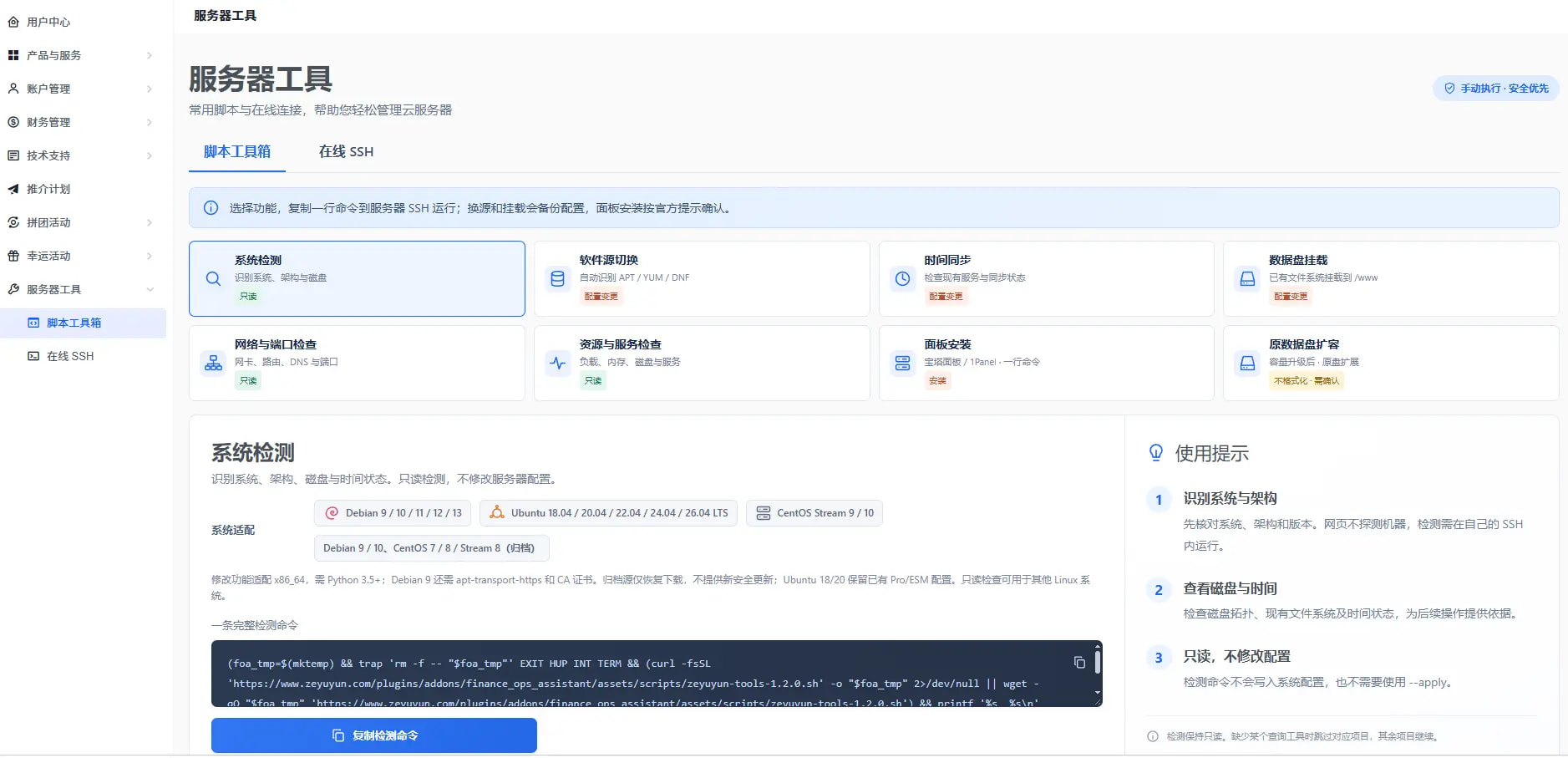
After setting up a Linux machine, the part that really takes time isn’t provisioning it, but all the little tasks afterward: checking the system version and architecture, switching to a domestic package mirror, synchronizing the time, mounting the data disk at /www, checking which ports are in use, viewing the load, installing a control panel, and dealing with cases where /www doesn’t expand along with the disk after a full-disk expansion.
None of these commands is difficult. The difficult part is having to look through notes, change drive letters, and update version numbers every time. I organized them into a web-based tool: select a function, copy a single command, and run it:
-
System detection —— system / architecture / disks / time, read-only
-
Package source switching —— automatically identifies APT / YUM / DNF; choose from official sources / Alibaba Cloud / Tsinghua University / USTC
-
Time synchronization —— checks existing services and synchronization status
-
Data disk mounting —— mounts an existing file system at /www
-
Network and port checks —— network interfaces / routes / DNS / ports, read-only
-
Resource and service checks —— load / memory / disks / services, read-only
-
Control panel installation —— choose between BT Panel / 1Panel; uses the official installer
-
Expanding the original data disk —— expands the original partition without formatting or using mergefs
A few design trade-offs:
-
Detection functions are purely read-only: they don’t write to system configuration and don’t require adding --apply
-
For actions that modify configuration (switching package sources, mounting), the original configuration is backed up before changes are made
-
Dangerous actions (installing a control panel, expanding a disk) pause and wait for your confirmation
-
Supports Debian 9–13 / Ubuntu 18.04–26.04 LTS / CentOS Stream 9–10
All 8 functions use plain commands, with no machine restrictions: they can run on any Linux machine, regardless of whether it was purchased from this provider. There’s also a web-based SSH tool, so you don’t need to install terminal software. Chinese displays correctly, and it can only connect to machines under your own account. You can find it in the left-hand menu of the official website under 「Server Tools」.