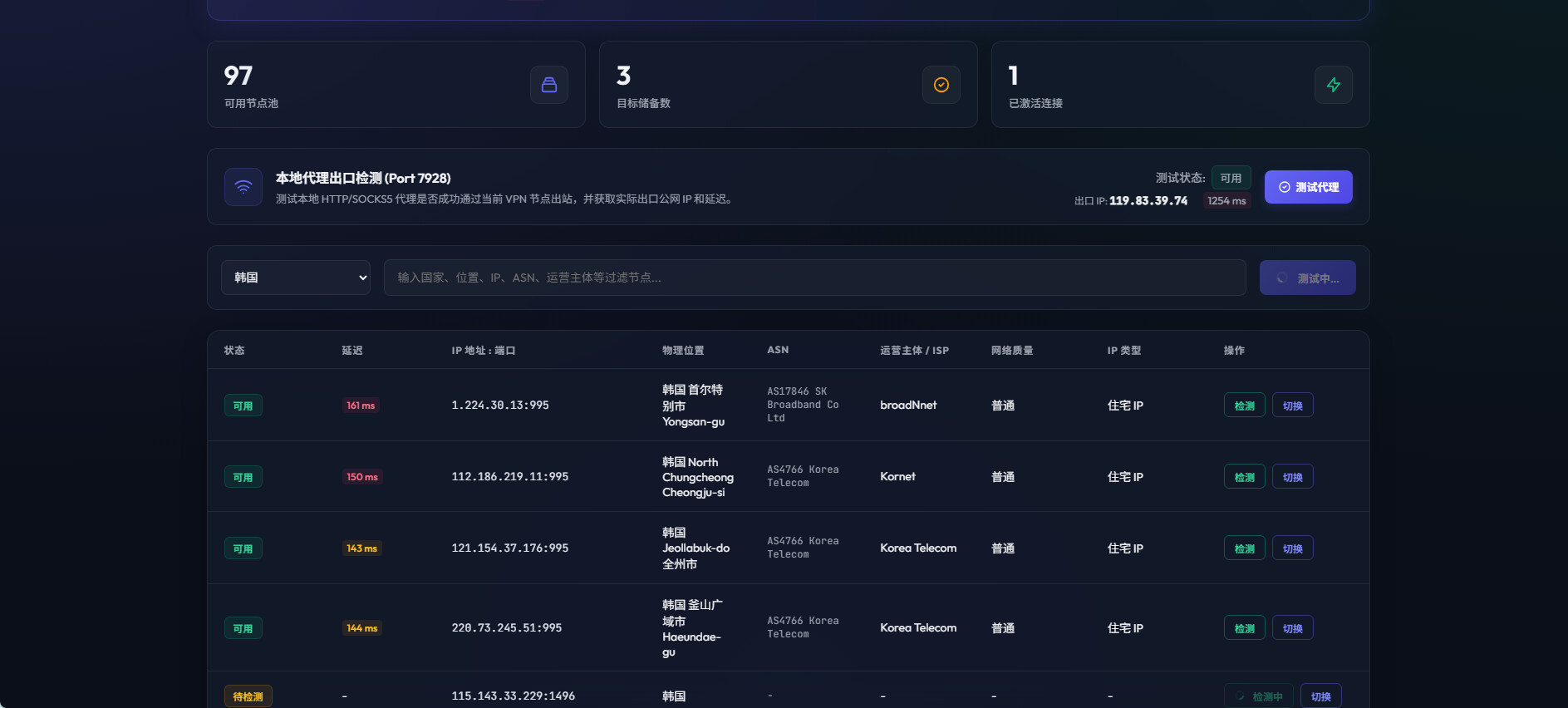
Deploying an automated residential IP scraping and forwarding backend on a regular Linux VPS opens a highly anonymous proxy port locally (Localhost), using 7928 by default. By building a modified proxy tunnel with 3X-UI and using routing rules (Routing Rules) and custom outbounds (Custom Outbounds) on the client (such as v2rayN or Mila), specific traffic (such as ChatGPT and Netflix core risk-control domains) or all traffic can be forwarded to this local port. This makes it possible to obtain the effect of using global native residential IPs (ISP type) at extremely low cost with an ordinary VPS.
Install Aimili
- Visit the Aimili-vpngate open-source repository: GitHub - OpenMili/aimili-vpngate: aimili-vpngate是一个借助vpngate.net让Linux用干净ip出站的代理工具。 · GitHub
- Copy the one-click deployment command, paste it into the SSH terminal, and press Enter.
bash <(curl -Ls https://raw.githubusercontent.com/baoweise-bot/aimili-vpngate/main/install.sh)
Install 3x-ui
- Enter the following standard 3X-UI installation command in the SSH terminal:
bash <(curl -Ls https://raw.githubusercontent.com/mhsanaei/3x-ui/master/install.sh)
For a detailed tutorial, search GitHub: GitHub - OpenMili/aimili-vpngate: aimili-vpngate是一个借助vpngate.net让Linux用干净ip出站的代理工具。 · GitHub or look for content on other blogs.
Result: